Knoledge Duniya

Search results

Monday, December 21, 2020

BBA :- E-Mail


Email, short for "electronic mail," is one of the most widely used features of the Internet, along with the web. 

It allows you to send and receive messages to and from anyone with an email address, anywhere in the world.

Electronic mail is a method of exchanging messages ("mail") between people using electronic devices.

Email operates across computer networks, primarily the Internet. Today's email systems are based on a store-and-forward model.

email is information stored on a computer that is exchanged between two users over telecommunications. 

More plainly, e-mail is a message that may contain text, files, images, or other attachments sent through a network to a specified individual or group of individuals.

The first e-mail was sent by Ray Tomlinson in 1971. Tomlinson sent the e-mail to himself as a test e-mail message, containing the text "something like QWERTYUIOP." 

However, despite sending the e-mail to himself, the e-mail message was still transmitted through ARPANET.

Email can be used in a variety of ways, either personally or within an organization, as well as one on one or among a large group of people.


Uses of email

  • Email can be used in a variety of ways, either personally or within an organization, as well as one on one or among a large group of people.
  • Most people find email to be a beneficial way to communicate with individuals or small groups of friends or colleagues. 
  • It enables users to easily send and receive documents, images, links and other files. Furthermore, it provides users with the flexibility of communicating with others on their own schedule.
  • Another beneficial use of email for one-to-one or small group communication could be sending professional follow-up emails after appointments, meetings or interviews or reminding participants of approaching due dates and time-sensitive activities. 
  • It also enables users to quickly and easily remind all meeting attendees of an upcoming event or notify the group of a time change. 
  • This is assisted by the integration of calendars and appointments into most email service platforms.
  • Furthermore, companies can use email to convey information to large amounts of employees, customers and potential customers. 
  • Email is frequently used for newsletters, where mailing list subscribers are sent specific, promoted content from a company, and direct email marketing campaigns, where an advertisement or promotion is sent to a targeted group of customers.
  • Email can also be used to turn leads into paying customers or to move a potential sale into a completed purchase. For example, a company may create an automated email that is sent to online buyers who keep items in their shopping cart for a specific amount of time. 
  • The email may remind the customer that they have products sitting in their cart and encourage them to complete the purchase before the items run out of stock.
  • Follow-up emails asking customers to submit a review after making a purchase are also common. They may include a survey asking customers to review the quality of service or the product they have recently received.

Advantages of email

Advantages of email include the following:

  • Cost-effective. There are various free email services available to individuals and organizations. Once a user is online, there are no additional charges for the service.
  • Email provides users with a nonurgent communication process that enables them to send a response when it is convenient. This also enables users to communicate regardless of their different schedules or time zones.
  • If the user has access to the internet, then email can be accessed from anywhere at any time.
  • Speed and simplicity. Emails are quick and easy to compose, with information and contacts readily available. They can also be exchanged quickly with minimal lag time.
  • Mass sending. Email makes it possible and easy to send one message to large groups of people.
  • Email enables users to filter and categorize their messages. This can prevent the visibility of unwanted emails -- like spam and junk mail -- while also making it easier to find specific messages when they're needed.
  • Email exchanges can be saved and searched for easily. This enables users to keep important conversations, confirmations or instructions in their records and quickly retrieve them if the need arises.
  • Free delivery - Sending an e-mail is virtually free, outside the cost of Internet service. There is no need to buy a postage stamp to send a letter.
  • Global delivery - E-mail can be sent to nearly anywhere around the world, to any country.
  • Instant delivery - An e-mail can be instantly sent and received by the recipient over the Internet.
  • File attachment - An e-mail can include one or more file attachments, allowing a person to send documents, pictures, or other files with an e-mail.
  • Long-term storage - E-mails are stored electronically, which allows for storage and archival over long periods of time.
  • Environmentally friendly - Sending an e-mail does not require paper (paperless), cardboard, or packing tape, conserving paper resources.

Disadvantages of Email

Disadvantages of email include the following:

  • Impersonal: As compared to other forms of communication, emails are less personal. For example, when you talk to anyone over the phone or meeting face to face is more appropriate for communicating than email.
  • Misunderstandings: As email includes only text, and there is no tone of voice or body language to provide context. Therefore, misunderstandings can occur easily with email. If someone sends a joke on email, it can be taken seriously. Also, well-meaning information can be quickly typed as rude or aggressive that can impact wrong. Additionally, if someone types with short abbreviations and descriptions to send content on the email, it can easily be misinterpreted.
  • Malicious Use: As email can be sent by anyone if they have an only email address. Sometimes, an unauthorized person can send you mail, which can be harmful in terms of stealing your personal information. Thus, they can also use email to spread gossip or false information.
  • Accidents Will Happen: With email, you can make fatal mistakes by clicking the wrong button in a hurry. For instance, instead of sending it to a single person, you can accidentally send sensitive information to a large group of people. Thus, the information can be disclosed, when you have clicked the wrong name in an address list. Therefore, it can be harmful and generate big trouble in the workplace.
  • Spam: Although in recent days, the features of email have been improved, there are still big issues with unsolicited advertising arriving and spam through email. It can easily become overwhelming and takes time and energy to control.
  • Information Overload: As it is very easy to send email to many people at a time, which can create information overload. In many modern workplaces, it is a major problem where it is required to move a lot of information and impossible to tell if an email is important. And, email needs organization and upkeep. The bad feeling is one of the other problems with email when you returned from vacation and found hundreds of unopened emails in your inbox.
  • Viruses: Although there are many ways to travel viruses in the devices, email is one of the common ways to enter viruses and infect devices. Sometimes when you get a mail, it might be the virus come with an attached document. And, the virus can infect the system when you click on the email and open the attached link. Furthermore, an anonymous person or a trusted friend or contact can send infected emails.
  • Pressure to Respond: If you get emails and you do not answer them, the sender can get annoyed and think you are ignoring them. Thus, this can be a reason to make pressure on your put to keep opening emails and then respond in some way.
  • Time Consuming: When you get an email and read, write, and respond to emails that can take up vast amounts of time and energy. Many modern workers spend their most time with emails, which may be caused to take more time to complete work.
  • Overlong Messages: Generally, email is a source of communication with the intention of brief messages. There are some people who write overlong messages that can take much time than required.
  • Insecure: There are many hackers available that want to gain your important information, so email is a common source to seek sensitive data, such as political, financial, documents, or personal messages. In recent times, there have various high-profile cases occurred that shown how email is insecure about information theft.

~~~~~~~|||~~~~~|||~~~~~||||~~~~|||~~~~

E-mail address

Email id is simply the address where you receive all your emails. just like your phone no. which your you use to get calls and msgs from other peoples. 

Just like that on the internet instead of mobile no, we use email id for that. in other words, we can say that email id is our mobile no. on the internet. an email id looks like this ex.

navyugbbacollege@gmail.com

An email address identifies an email box to which messages are delivered. 

An email address is a unique identifier for an email account. 

 It is used to both send and receive email messages over the Internet

 Similar to physical mail, an email message requires an address for both the sender and recipient in order to be sent successfully.

~~||||~~~~|||~~~~|||~~~~||~~~|~~~||~~~

Email Address Formatting

An email address is a designation for an electronic mailbox that sends and receives messages, known as email, on a computer network. 

Since the 1980s, all email addresses follow the same format: @. An example is below.

navyugbbacollege@gmail.com

Email address consists of three parts 

1. User name :-
The first portion of all e-mail addresses, the part before the @ symbol, contains the alias, user, group, or department of a company. 

In our above example, navyugbbacollege is the college department at Navyug Educational Sankul.

2. @ Sign :-

    Next, the @ (at sign) is a divider in the e-mail address; it's required for all SMTP e-mail addresses since Ray Tomlinson sent the first message.

3. Domain or Host name :-

    Finally, gmail.com is the domain name that the user belongs. The .com is the TLD (top-level domain) for our domain.


On the far right, the .com component represents the top level domain (TLD) for the email address. It could also be replaced with .org, .edu, or another entity. Commonly-used TLDs include:

  • .com: Used by entities engaged in commerce
  • .org: Used by nonprofit organizations
  • .edu: Used by educational institutions
  • .net: Used by network providers
  • .gov: Used by governmental agencies

The domain name is the specific name of the organization. This could be any name, but familiar ones include Google.com or Target.com. The combination of the organization name and TLD is the address entered into a browser to go to the organization’s website

 The @ (pronounced “at”) symbol is the connector between the domain and the person who the email address belongs to. In this case, the person or company is Navyugbbacollege. 

When an email is sent to this address, the message is sent to navyugbbacollege at the domain name.

Domain names can be commercial or personal. Popular email providers for business or personal use include Gmail, Yahoo, and Microsoft Outlook

 Businesses and websites can purchase custom email addresses for their domain through one of these options or through their website hosting provider.

~~~~~~~|||~~~~~~~||||~~~~~~|||~~~~~~~

How to send and receive e-mail

E-mail program

  • To send and receive e-mail messages, you can use an e-mail program, also known as an e-mail client, such as Microsoft Outlook or Mozilla Thunderbird. 
  • When using an e-mail client, a server that stores and delivers your messages is used. This server is often hosted by your ISP, but can be another Internet company. 
  • An e-mail client needs to connect to a server to download new e-mail, whereas e-mail stored online is always available to any Internet-connected device. 
  • For more information about cloud e-mail service, see the difference between webmail and an e-mail client, below.

Online e-mail

  • An alternative way of sending and receiving e-mail (and the more popular solution for most people) is an online e-mail service or webmail. 
  • Examples include Hotmail (now Outlook.com), Gmail, and Yahoo Mail. 
  • Many of the online e-mail services, including the ones we mentioned, are free or have a free account option.

Best Free Email Accounts

  •     Gmail
  •     AOL
  •     Outlook
  •     Zoho
  •     Mail.com
  •     Yahoo! Mail
  •     ProtonMail
  •     iCloud Mail
  •     GMX Mail
  •     Mozilla Thunderbird
  •     Yandex Mail
~~~~~~|||~~~~~||~~~~~||~~~~~~|||~~~~~

Writing an e-mail

When writing an e-mail message, it should look something like the example window below. 

As you can see, several fields are required when sending an e-mail:

  • The To field is where the e-mail address of the person receiving the e-mail is placed.

  • The From field should contain your e-mail address.

  • If you are replying to a message, the To: and From: fields are automatically filled out. If it's a new message, you'll need to specify the recipients in the To: field by selecting them from your contact list or by typing the e-mail addresses. If you enter more than one recipient (e.g., group e-mail), the addresses should be separated by a comma and a space, or by pressing the Tab key.

  • The Subject should consist of a few words describing the e-mail's contents. The subject lets the recipient see what the e-mail is about, without opening and reading the full e-mail. This field is optional.

  • The CC ("Carbon Copy") field allows you to specify recipients who are not direct addressees (listed in the "To" field). For instance, you can address an e-mail to Jeff and CC Linda and Steven. Although the e-mail is addressed to Jeff, Linda and Steven also receive a copy and everyone can see who received the e-mail. This field is optional.

  • The BCC ("blind carbon copy") field is similar to CC, except the recipients are secret. Each BCC recipient will receive the e-mail, but will not see who else received a copy. The addressees (anyone listed in the "To" field) remain visible to all recipients. This field is optional.

  • Finally, the Message Body is the location you type your main message. It often contains your signature at the bottom; similar to a handwritten letter.

Writing an e-mail message


What can be sent in an e-mail?

In addition to text messages being sent over e-mail, it is also possible to attach a file or other data in an e-mail. 

For example, an attachment could be a picture, PDF, word processor document, movie, program, or any file stored on your computer. 

However, because of some security issues, it may not be possible to send certain types of files without additional steps. 

For example, many companies block .exe files from being sent over e-mail and would require you to compress the file into a .zip file. 

Also, most e-mail providers have file size restrictions that would prevent any large files or programs from being sent over e-mail.


~~~~~~~~||~~~~~~~||~~~~~~|||~~~~~

Features of E-mail Program 

1. New message or compose

New Message button allows you to write a new e-mail to someone by invoking the e-mail authoring program

Choose New Email to start a new message. 

Enter a name or email address in the To, Cc, or Bcc field.

If you don't see Bcc, see Show, hide, and view the Bcc box.

In Subject, type the subject of the email message.

Place the cursor in the body of the email message, and then start typing.

After typing your message, choose Send.


2. Reply

Reply button allows you to send a reply to someone who has sent you an e-mail.

3. Reply to All

Sometimes you receive an e-mail of which you are not the only recipient. This button allows you to reply to all of the e-mail addresses from that e-mail.

4. Forward

Forward button helps you to forward a message, which you have received, to someone else.


5. Send and Receive

Send and Receive button serves two function. It will query your mail server and receive any new e-mail that might be waiting for you, and it will send any pending messages, that you have authored, to your e-mail server.

6.  Delete
Delete button allows you to delete the selected message.

7. Print
Sometimes you might want to keep a hard copy of the message with your.

 In such case, Print button allows you to take a printout, if the system is connected to the printer.


Email Tutorial Video :-

Sunday, December 20, 2020

BBA :- Internet Concept


The Internet, sometimes called simply "the Net" 

It is a worldwide system of computer network-- a network of networks in which users at any one computer can, if they have permission, get information from any other computer (and sometimes talk directly to users at other computers). 

It was conceived by the Advanced Research Projects Agency (ARPA) of the U.S. government in 1969 and was first known as the ARPANet

The original aim was to create a network that would allow users of a research computer at one university to "talk to" research computers at other universities. 

A side benefit of ARPANet's design was that, because messages could be routed or rerouted in more than one direction, the network could continue to function even if parts of it were destroyed in the event of a military attack or other disaster. During the Cold War era, one of the primary concerns for the United States government was to find ways of protecting its military communications system, as well as ways to make its command and control network able to survive a nuclear attack from the Soviet Union. 

Today, the Internet is a public, cooperative and self-sustaining facility accessible to hundreds of millions of people worldwide.

~~~~~~~~~~~|||||||||~~~~~~~~~~~~~~

ARPANET

Full form :-

Advanced Research Projects Agency Network

ARPAnet began development in 1966 by the United States ARPA. 

ARPANET was a Wide Area Network linking many Universities and research centers, was first to use packet switching, and was the beginning of what we consider the Internet today.

ARPANET was created to make it easier for people to access computers, improve computer equipment, and to have a more effective communication method for the military.

ARPANET started when the first two nodes were established between UCLA and SRI (Stanford Research Institute) in 1969 followed shortly after that by UCSB and the University of Utah. The picture below is an example of what ARPANET looked like in March 1977. 

ARPANET completed its transition to TCP/IP on January 2, 1983, was later replaced by NSFNET in 1990, and then decommissioned on February 28, 1990.

~~~~~~~~~~~|||||||||~~~~~~~~~~~~~~

Indian History of the Internet 

Internet in India began in 1986 and was available only to the educational and research community. It was publicly available from 15 August 1995.

The history of internet in India began with the launch of the Educational Research Network (ERNET) in 1986. 

The network was made available only to educational and research communities.  ERNET was initiated by the Department of Electronics (DoE), with funding from the Government of India and United Nations Development Program (UNDP), involving eight premier institutions as participating agencies—NCST Bombay, Indian Institute of Science, five Indian Institutes of Technology (Delhi, Mumbai, Kanpur, Kharagpur and Chennai), and the DoE in New Delhi.

The first publicly available internet service in India was launched by state-owned Videsh Sanchar Nigam Limited (VSNL) on 15 August 1995.

At the time, VSNL had a monopoly over international communications in the country and private enterprise was not permitted in the sector. The internet service, known as the Gateway Internet Access Service (GIAS), provided a speed of 9.6 kbit/s speed and was priced at ₹5,200 for 250 hours for individuals, ₹16,200 for institutional dial-up SLIP/PPP accounts, and higher for leased line services.

~~~~~~~~~~~|||||||||~~~~~~~~~~~~~~

How the Internet works

Physically, the Internet uses a portion of the total resources of the currently existing public telecommunication networks. Technically, what distinguishes the Internet is its use of a set of protocols called Transmission Control Protocol/Internet Protocol (TCP/IP). 

Two recent adaptations of Internet technology, the intranet and the extranet, also make use of the TCP/IP protocol.

The Internet can be seen as having two major components: network protocols and hardware. The protocols, such as the TCP/IP suite, present sets of rules that devices must follow in order to complete tasks. 

Without this common collection of rules, machines would not be able to communicate.

The protocols are also responsible for translating the alphabetic text of a message into electronic signals that can be transmitted over the Internet, and then back again into legible, alphabetic text.

Hardware, the second major component of the Internet, includes everything from the computer or smartphone that is used to access the Internet to the cables that carry information from one device to another. Additional types of hardware include satellites, radios, cell phone towers, routers and servers.

These various types of hardware are the connections within the network. Devices such as computers, smartphones and laptops are end points, or clients, while the machines that store the information are the servers. The transmission lines that exchange the data can either be wireless signals from satellites or 4G and cell phone towers, or physical lines, such as cables and fiber optics.

~~~~~~~~~~~|||||||||~~~~~~~~~~~~~~

To connect to the Internet you need the following six things:

1. Computer :-

The Computer is essential. All kinds of computer like PCs, Desktop computer, laptop, notebook, tablet and smartphone can be used to connect to the Internet

2. Modem :-

Modem is short for "Modulator-Demodulator." 

It is a hardware component that allows a computer or another device, such as a router or switch, to connect to the Internet. 

It converts or "modulates" an analog signal from a telephone or cable wire to digital data (1s and 0s) that a computer can recognize. 

Similarly, it converts digital data from a computer or other device into an analog signal that can be sent over standard telephone lines.

The first modems were "dial-up," meaning they had to dial a phone number to connect to an ISP. These modems operated over standard analog phone lines and used the same frequencies as telephone calls, which limited their maximum data transfer rate to 56 Kbps. Dial-up modems also required full use of the local telephone line, meaning voice calls would interrupt the Internet connection.

Modern modems are typically DSL or cable modems, which are considered "broadband" devices. DSL modems operate over standard telephone lines, but use a wider frequency range. This allows for higher data transfer rates than dial-up modems and enables them to not interfere with phone calls. Cable modems send and receive data over standard cable television lines, which are typically coaxial cables. Most modern cable modems support DOCSIS (Data Over Cable Service Interface Specification), which provides an efficient way of transmitting TV, cable Internet, and digital phone signals over the same cable line.


3. Telephone line and Internet Connection :-

A Digital Subscriber Line (DSL) broadband telephone connection uses the wiring placed for phone services to provide Internet access for your home or business. But the installation of DSL does not limit your access to phone services at the same time. With the use of a splitter during installation, you can have access to both Internet and telephone services at the same time, without interference between the two.

Process :--

1

Contact a DSL provider in your area, usually the telephone company or another Internet service provider (ISP), and sign up for services.

2

Plug a DSL line splitter into the wall jack that you’re using for your DSL modem connection. The splitter splits the jack’s services into two, one for the telephone and one for the modem.

3

Plug a telephone wire into one of the splitter jacks. Plug the other end of the wire into the jack on the rear of the DSL modem.

4

Plug an Ethernet cable into the rear of the DSL modem, and then plug the other end of the cable into an available Ethernet port on your computer. Plug the power cord of the modem into a nearby outlet.

5

Turn on your computer and wait for the computer to launch the desktop screen. Turn on the modem and wait for it to make a connection with your ISP. The online indicator light should light up when the connection is made.

6

Navigate to the "Start" button on your computer, and then select the “Control Panel.” Click “Network and Internet” followed by “Network and Sharing Center” then “Set up a connection or network.” Click "Connect to the Internet" to utilize the new Internet connection on your system.

7

Plug a DSL line filter into the second jack of the splitter to filter out any noise from the connection. Plug the second telephone wire into the filter and, then into the telephone to allow you to use phone service along with your Internet service.

4. Web browser :-

web Browser is an application software that allows us to view and explore information on the web. User can request for any web page by just entering a URL into address bar.

A web browser takes you anywhere on the internet, letting you see text, images and video from anywhere in the world.

A web browser takes you anywhere on the internet. It retrieves information from other parts of the web and displays it on your desktop or mobile device. The information is transferred using the Hypertext Transfer Protocol, which defines how text, images and video are transmitted on the web. This information needs to be shared and displayed in a consistent format so that people using any browser, anywhere in the world can see the information.


Earlier the web browsers were text-based while now a days graphical-based or voice-based web browsers are also available. There are a lot of web browser available in the market. 

Following are the most common web browser available today.

Browser.              Company vendor

Internet ExplorerMicrosoft
Google ChromeGoogle
Mozilla FirefoxMozilla
Netscape NavigatorNetscape Communications Corp.
OperaOpera Software
SafariApple
Sea MonkeyMozilla Foundation
K-meleonK-meleon

5. Router :-

This is a hardware device that routes data (hence the name) from a local area network (LAN) to another network connection. A router acts like a coin sorting machine, allowing only authorized machines to connect to other computer systems.  

A router receives and sends data on computer networks. 

In the home or small office, a "wireless router" or "wireless gateway" is used to manage Internet traffic. The wireless router contains a built-in Ethernet switch and Wi-Fi access point, and the wireless gateway also includes a modem. Both router and gateway have one or two Ethernet ports to the Internet.

~~~~~~~~~~~|||||||||~~~~~~~~~~~~~~

Uses of the Internet

In general, the Internet can be used to communicate across large or small distances, share information from any place in the world and access information or answers to almost any question in moments.

Some specific examples of how the Internet is used include:

1. Search Engines or Stay Informed :-

These engines locate the information one seeks, available in whichever server across the globe (world wide web). Google, Yahoo, and MSN are the renowned search engines in use today. One can search on anything in this site and the search question can be in any format. In fact, People have started using the word Google as a generic verb synonymous to search.

2. Electronic Mail (email)

The first major use of the internet is Email. People thronged to Email for sharing information, data files, Photos, Videos, Business communications, and any other files instantaneously with others. 

This had enabled faster communication between people and improve business efficiency. 

Email has reduced the usage of paper considerably and reduced load on physical mail systems.

Though other latest collaboration tools provide many rich features, they are not able to de-popularize Email and it still rules the official and personal communication. 

There are many free Email websites offering mail services and practically every individual has an Email address and connected by Email. 

Email concepts paved the way for developing many innovative tools for improved collaboration.

3.  E-Commerce

The Internet enables the selling of goods and services in online mode. 

There are many e-commerce platform vendors like Amazon, Ola who aggregate several products/services available in the market and sell them through their portal to customers. 

Products are procured by platform vendors, stored in their warehouses, packed and distributed by them in their own brand. 

Customers get a good discount and they don’t have to visit physical stores.

4. Online Banking

Called as Net banking, it allows doing banking transactions at ease sitting at home or while on mobile. 

Footfalls in the bank branches have come down appreciably with almost all the services are available in net banking 24×7. 

Any amount of money can be transferred instantaneously through this facility. 

E-Banking supports Electricity bills, Telephone bills, and other services payment.

5. Cashless Transactions

Bill Payment at merchandise outlets through debit cards, credit cards, UPI gateway are on the increase. 

Cash circulation gets reduced in the system to the extent of the growth of these transactions. It’s growing by more than 50% every year and it is expected to grow by 10 times over the next 5 years.

6. Education

The Internet offers a wealth of educational material on any subject with structured navigation and search facilities. 

One can seek any reading material and the internet will get it for them from any server in any part of the world and people need not have to go to libraries to go through books. 

Those who cannot attend physical (face to face) class can take an online course where they get connected to the teacher, in the other part of the world, in video mode and get taught on the subject backed up other audiovisual tools.

7. Collaboration and communication :-

Online chat tools like messenger, Skype, and other video conferencing tools help people to get connected 24 x7 and have a hassle-free business and personal discussion. 

This avoids unwanted travel by people and save their time for productive use. 

The Internet has also facilitated work from home with seamless connectivity to the office and avoid daily commuting.

8. Social Networking

Internet connects people online and enables them to form social groups. Information, Ideas, views, and opinions on any social/political issues are exchanged. The political and social organization makes use of this platform in promoting their interest among the public.

9. Research

The Internet is playing a significant role in the field of research. Before the use of the Internet, it was quite hard to look for information about anything. People had to go through hundreds of books for references to find the desired information. 

However, the Internet has made it a lot easier, and anyone can find the required information at some clicks only. 

In research, people can study about the success and failed research and work further for the improvements. Uses of the Internet in research have incredibly beneficial for the researchers.

10. Entertainment

The Internet is the most effective means of entertainment. 

There are various options available on the Internet, which people can try, such as watching movies, playing online games, listening to songs, etc. 

The Internet has also made it easy for people to download entertainment items to their local storage. Using the Internet, people can also share their videos, songs, pictures online with others. Also, nowadays, people can watch live TV or sports on the Internet.


11. Navigation 

The navigation mechanism is one of the most beneficial uses of the Internet. Once a user put the location in the online maps (such as Google maps), it provides all the details about that location. Users can even find the best route to visit that particular location. 

The map also provides the distance between the locations. The best thing about navigation is that it will provide the shortest possible route with less traffic. 

One can also search for any specific place like the nearest hotel, restaurants, banks, ATM, etc. Apart from this, a person can share a live location with others using the Internet and the navigation technique.

12.  Advertising

Because most people use the Internet, it is the best means of promoting something or advertising. 

There are options for paid promotion as well as free promotion. There are many advertising platforms on the Internet that help promote products or businesses online. 

These platforms advertise products on other related websites using banners, videos, email etc. 

They charge for these advertisements according to distance, keywords and audience etc. However, one can also use social media platforms to create online groups or communities and advertise freely.

13. Real-time updates (NEWS)

The Internet is helping people to keep up with what is happening around the world. 

Many news and information websites provide real-time updates on various categories, such as politics, history, news, geology, leisure, sports, technology, marketing, and more. 

One can easily select the category of interest and stay connected with updates. The presence of e-newspapers and magazines is updating people and helping to cut paper usage.

Overview :-

Based on a recent survey of Internet traffic, the most popular uses of the Internet in descending order of use are:

  1. Electronic mail. At least 85% of the inhabitants of cyberspace send and receive e-mail. Some 20 million e-mail messages cross the Internet every week.

  2. Research.

  3. Downloading files.

  4. Discussion groups. These include public groups, such as those on Usenet, and the private mailing lists that ListServ manages.

  5. Interactive games. Who hasn’t tried to hunt down at least one game?

  6. Education and self-improvement. On-line courses and workshops have found yet another outlet.

  7. Friendship and dating. You may be surprised at the number of electronic “personals” that you can find on the World Wide Web.

  8. Electronic newspapers and magazines. This category includes late-breaking news, weather, and sports. We’re likely to see this category leap to the top five in the next several years.

  9. Job-hunting. Classified ads are in abundance, but most are for technical positions.

  10. Shopping. It’s difficult to believe that this category even ranks. It appears that “cybermalls” are more for curious than serious shoppers.

The survey shows that individuals, corporations, business people, and groups use Internet primarily as a communications vehicle as these users reduce their use of fax machines, telephones, and the postal service. E-mail should remain at the top of the list. The Internet has continued and will continue to change how we view the world.


~~~~~~~~~~~|||||||||~~~~~~~~~~~~~~

Advantages and Disadvantages of Internet

Now a day, the internet has become the most popular and influential medium in the world whereas it’s had been unknown to people fifteen years before. 

It is the biggest source of information, communication, and advertising. Computers and the internet are present in most homes but it has its own advantages and disadvantages. The Internet has many applications like BlockChain, Artificial Intelligence, Internet of Things, and etc.

Advantages of Internet:

Source of Information:

It is the best source of a variety of information. Now even students of colleges and universities mainly depend on it to complete not only their assignments but also to keep themselves up-to-date. 

There is no better source of research other than the internet. We can find the latest trends, we can talk to specialists without actually visiting them, and we can also get professional assistance through the internet.

Source of Entertainment:

Online games, chatting, surfing, music, movies, dramas, and TV shows are becoming the most common sources of entertainment. 

Games are available free of cost, chat rooms are available to discuss on any topic, entertainment websites are accessible, online movies and other TV shows are also easily accessible just because of the internet.

Keep Informed:

Internet is a source of the newest news because there are hundreds and thousands of news-groups and services which keep you informed with every tick of the clock. 

People like to read news about sports, weather, politics or any other topic internet keeps you well informed and up-to-date.

Online Shopping:

Internet shopping is becoming popular because of virtual shops where you can buy anything you want and need without going out of the home. 

Virtual shops are earning much money recently. The most popular product is clothes which more women are buying them through the internet. Also, groceries, household, and other electronic items are available. 

You only need to sit in front of the computer, click the mouse and the product will be at your doorstep within a few hours.

Information and Education online

Secondly, information is the most significant advantage that the Internet has to offer. The Internet is a treasure trove of practical knowledge. 

Any kind of information on any subject under the sun is available on the Internet.

Search engines like Google and Yahoo are on your service through the Internet. 

From new ideas, market info, trade fairs & conference, government law and services, and technical support, vast info are available on the Internet about everything man knows, and this list has no end.

If students have a problem with their education or their daily life, they can find many solutions to that problem from the Internet. There they can find articles that help them from scholars and other professional people. They can take lectures from various academics on different topics.


Money making machine

One of the essential benefits of the Internet is that students can earn from the Internet through blogging. Students may be interested in obtaining via the Internet. It is an excellent source of income for them, and it also gives them a unique writing experience.

It is a must-do for students who are interested in media and want to be future writers. It will improve their professional skills, which will lead them to a great future. Students can also use the Internet for social connectivity, and many social media websites use social networking.

Popular social networking sites include Facebook, Twitter, Website, and others. Students can contact themselves with international students and discuss various issues to enhance their skills and knowledge. Students can find any information to improve their experience by using the Internet intelligently.


Disadvantages of Internet:

On the other side of the coin if we discuss its disadvantages in brief then the following are some common:

A Waste of Time:

Most people argue that spending a lot of time using the internet is bad which leads to obesity in the young generation. 

In the contemporary world, people also say that the internet is not necessary for life and life would be easier without it.

Not Safe Place for Children:

If children are allowed to use the internet then parents become worried if they are spending much time on the internet. 

Pornography and unethical communities are 

Kids avoiding outdoor activities

There are host games available on the Internet that led many children to avoid all outdoor activities. 

In the absence of physical activity, children are more susceptible to many diseases associated with lifestyles such as ERS deficiency and fail to develop interpersonal skills

 Along with these factors, constantly sitting in front of a computer screen can severely damage our eyes and put pressure on our neck and shoulders.

Children are in their formative years, and these factors can cause them lifelong problems. Internet games make children more violent. There are a lot of internet games that contain content of violence, and this can negatively impact children.

So one can say that the internet is not a safe place for children because there are different tools available who can bypass ‘parental protection’. Also, children who use the internet are becoming addicted to it which is again very dangerous.

Privacy Exposure:

Because of the hacker's community now it’s very easy to decipher someone’s chat or email messages. 

As we know data is transmitted in the form of packets, hackers sniff that packets and easily reconstruct.

Money Frauds:

With the introduction of online business, virtual shops, and credit card usage; now it becomes very easy to buy things without going into the market.

 Besides legitimate sites there are some other Social Media Advertising sites that make frauds of money, these sites try to get your personal information, credit card details, and even pin code. 

Once they get this information you can easily become a victim of money frauds.

Viruses/Malware:

Often our systems get infected from viruses and ultimately damage our important data which is difficult to recover. These viruses are transported via the internet, CDs, and USBs. Our computer can become totally out of order.

Online Threatening or Harassment:

If someone manages to get your personal IDs or email address then it becomes easier to harass in chat rooms, online messages, and through emails.     


In the end, the internet has its own advantages and disadvantages but its advantages are extremely high. It simply making lives easier but we should not forget about the disadvantage it may bring.


Saturday, December 19, 2020

ઓનલાઈન શિક્ષણ વિશે નિબંધ


ઓનલાઈન શિક્ષણ વિશે વાંચન અને લેખન માટે 


#online education
#live education
#saurashtra university
#B.Ed. CC5 

Thursday, December 17, 2020

Bed CC5 આદર્શ પ્રશ્નપત્ર 1 [કુલ 70 ગુણ]

સૌરાષ્ટ્ર યુનિવર્સિટી
B.Ed. Sem 3 CC5

આદર્શ પ્રશ્નપત્ર 1 
[કુલ 70 ગુણ]


પ્રશ્ન 1. નીચે આપેલા 40 બહુ વિકલ્પી પ્રશ્નો પૈકી કોઈપણ 20 ના ઉત્તર આપવા. (પ્રત્યેકના 1.5 ગુણ)         [30 ગુણ]

અહીં ક્લિક કરી ટેસ્ટ આપો.


પ્રશ્ન 2 નીચે આપેલ 16 પ્રશ્નોમાંથી કોઈપણ 8 પ્રશ્નોના જવાબ મુદાસર લખો. (પ્રત્યેકના 5 ગુણ)            [40 ગુણ]

1. કમ્પ્યુટર એટલે શું ? કમ્પ્યુટરની લાક્ષણિકતા વર્ણવો.
2. કમ્પ્યુટરની પેઢીઓ વિશે નોંધ લખો.
3. કમ્પ્યુટર ઇનપુટ ડીવાઇઝ એટલે શું ? કોઈપણ 2 ઇનપુટ ડીવાઇઝ વિશે નોંધ લખો.
4. કમ્પ્યુટર ઓપરેટિંગ સિસ્ટમ એટલે શું ?
5. માઈક્રોસોફ્ટ ઓફિસ વિશે વિસ્તૃત નોંધ લખો.
6. મેઈલ મર્જ એટલે શું ? તેના સોપાનો વર્ણવો.
7. ઈન્ટરનેટ એટલે શું ? તેની શિક્ષણ માં ઉપયોગિતા સમજાવો.
8. કોઈપણ 2 ગૂગલ ઓફિસ યુટીલીટી વિશે વિસ્તૃત નોંધ લખો.
9. ઓનલાઈન અધ્યયન અને અધ્યાપન સમજાવો.
10. ઓનલાઈન શિક્ષણ ની વિવિધ પ્રયુક્તિઓ જણાવી. ગુગલ કલાસરૂમ વિશે વિગતે નોંધ લખો.
11. ગુગલ ફોર્મ દ્વારા ઓનલાઈન મુલ્યાંકનના સોપાનો સમજાવો.
12. QR કોડ એટલે શું ? QR કોડ બનાવવાના સોપાનો વર્ણવો.
13. ઓનલાઈન શિક્ષણ મંચ એટલે શું ? SWAYAM વિશે વિસ્તૃત નોંધ લખો.
14. વિવિધ રેકોર્ડિંગ ટુલ્સનો પરિચય આપી. Loom વિશે નોંધ લખો.
15. વીડિયો એડીટીંગ એટલે શું ? ઓપન શોટ વિશે નોંધ લખો.
16. DIKSHA વિશે નોંધ લખો.


Wednesday, December 16, 2020

UNIT 3 :- CC5 B.Ed. Sem 3 CC5 Computer Subject Exam Imp Question and Answer

B.Ed. Sem 3 CC5 Computer Subject 
Final Exam Imp Question and Answer


Unit 3  Imp Question

CC5 B.Ed. Sem 3 CC5 Computer Subject Exam Imp Question and Answer


અહીં આપેલા પ્રશ્નો 3 કે 5 માર્ક્સ પુછાય શકે ?  અહીં તમામ પ્રશ્નોની યાદી મુકેલ છે. જેનું બુકમાંથી વાંચન કરી શકો...વધુ તૈયારી માટે અમુક પ્રશ્ન નીચે સંદર્ભ લિંક આપેલ છે. (અહીં કોઈ સ્કેન કરેલ પેજ મુકેલ હોય તો તેને સારી રીતે વાંચવા માટે zoom કરી જોવું નહિ... સૌ પ્રથમ તેના પર ક્લિક કરી ફૂલ સ્ક્રીનમાં દેખાય પછી વાંચન કરી શકો...તમારો ડેટા વધુ use ન થાય તે રીતે સ્કેન કરેલ છે.)

Q.1. ICT ની સંકલ્પના તેના ઉપયોગો અને મર્યાદા વિશે ચર્ચા કરો.


Q.2. ઓનલાઈન અધ્યયન અધ્યાપન વિશે સમજ આપી ઓનલાઈન અધ્યાપન અને face to face અધ્યાપન વચ્ચેનો તફાવત જણાવો.


Q.3  E-Learning નો અર્થ સમજાવી. શિક્ષક અને વિદ્યાર્થીના ICT કૌશલ્ય સમજાવો.

Q.4 ઓનલાઈન શિક્ષણની પ્રયુક્તિઓ વિશે સમજ આપી.. કોઈપણ એક ઓનલાઈન કલાસ મેથડ વિશે ચર્ચા કરો.


Q.5 QR કોડનો અર્થ આપી. QR કોડ બનાવવાના સોપાનો સમજાવો.


Q.6. ઓનલાઈન મૂલ્યાંકન એટલે શું ? Google form માં quiz બનાવવાના સોપાનો વર્ણવો.


Q.7.  Google Meet નો વિગતે પરિચય આપો.

Q.8.  Google Classroom નો વિગતે પરિચય આપો.

Q.9.  ZOOM નો વિગતે પરિચય આપો.

Q.10.  Testmoz નો વિગતે પરિચય આપો.


Tuesday, December 15, 2020

BBA : Office Automation MCQ Teસ્ત

🅲🅾🅼🅿🆄🆃🅴🆁 🅼🅲🆀 🆃🅴🆂🆃 🅰🅿🅿

🔅 આગામી યુનિવર્સિટી પરીક્ષામાં MCQ પ્રશ્નો હશે તેમાં ઉપયોગી થશે.

🔅 *કમ્પ્યુટર પ્રેક્ટિકલ તેમજ મૌખિક (વાઇવા ટેસ્ટ) માં MCQ ટાઈપ ટેસ્ટ હશે.*

🔅 આ ઉપરાંત ભવિષ્યમાં CCC તેમજ સ્પર્ધાત્મક નોકરી માટેની પરીક્ષામાં MCQ ટેસ્ટ ઉપયોગી થશે.. કારણકે તેમાં મોટા ભાગે તમારા સિલેબ્સમાં સમાવેશ ટોપિકમાંથી જ પ્રશ્નો પુછાય છે.

ઉપરોક્ત બાબતોને ધ્યાને લઇ MCQ ટેસ્ટ માટેની તૈયારી માટેની બેસ્ટ એન્ડ્રોઇડ એપ અહીં આપેલ છે.
જે નીચે આપેલ લિંક પરથી ડાઉનલોડ કરી મહાવરો કરી શકો છો.

આ એપમાં તમારા સિલેબ્સ અનુસાર ટોપિકના તમામ MCQ પ્રશ્નો બે થી ત્રણ વખત જોઈ લેવા.. જે તમોને શોર્ટ નોટ લખવામાં પણ કામ આવશે.

એપ ડાઉનલોડ કરવાની લિંક
👇👇👇👇👇

https://play.google.com/store/apps/details?id=com.multimediagyan.pclearn

Saturday, December 12, 2020

BBA : Output Device (Printer)


Computer output devices receive information from the computer, and carry data that has been processed by the computer to the user.  Output devices provide data in myriad different forms, some of which include audio, visual, and hard copy media.  The devices are usually used for display, projection, or for physical reproduction.  Monitors and printers are two of the most commonly-known output devices used with a computer.

Printer 

This device generates a hard copy version of processed data, like documents and photographs. The computer transmits the image data to the printer, which then physically recreates the image, typically on paper.

A printer is an external hardware output device that takes the electronic data stored on a computer or other device and generates a hard copy. For example, if you created a report on your computer, you could print several copies to hand out at a staff meeting. Printers are one of the most popular computer peripherals and are commonly used to print text and photos.

There are two types of printers −

  • Impact Printers
  • Non-Impact Printers

Impact Printers

Impact printers print the characters by striking them on the ribbon, which is then pressed on the paper.

Characteristics of Impact Printers are the following −

  • Very low consumable costs
  • Very noisy
  • Useful for bulk printing due to low cost
  • There is physical contact with the paper to produce an image

Character Printers

Character printers are the printers which print one character at a time.

These are further divided into two types:

  • Dot Matrix Printer(DMP)
  • Daisy Wheel

Dot Matrix Printer

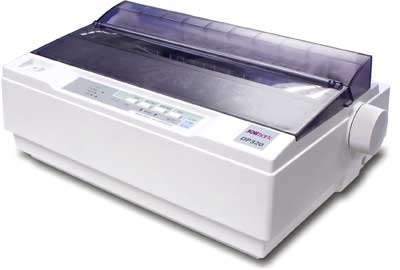
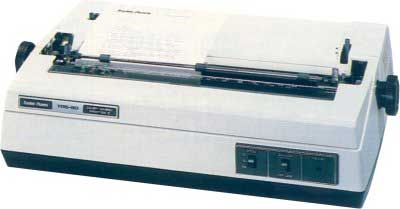
In the market, one of the most popular printers is Dot Matrix Printer. These printers are popular because of their ease of printing and economical price. Each character printed is in the form of pattern of dots and head consists of a Matrix of Pins of size (5*7, 7*9, 9*7 or 9*9) which come out to form a character which is why it is called Dot Matrix Printer.

A dot matrix printer (DMP) is a type of printer which uses pins impacting an ink ribbon to print. These printers are generally considered outdated, as they cannot create high-quality prints and are costly as well. However, they have a certain specialty that other printers like inkjet and laser printers do not have: as they use impact for printing, they can be used to print multiple copies of text at the same time with the help of carbon copying. Therefore, they are mostly used in places where multipart forms are required.

A dot matrix printer is also known as an impact matrix printer.

In a dot matrix printer, the characters and letters are formed by a matrix of dots. A print head, which has many pins in it, moves in the required direction and strikes against a cloth ribbon which is soaked in ink, making a mark on the paper. The dots are spaced closely in a particular shape to make the intended character. This looks quite similar to the printing mechanism of typewriters and daisy wheel printers. However, dot matrix printers are different in the sense that many different characters and graphics can be printed. A character printed by a DMP is actually an accumulation of many such dots on a small area of the paper.


Dot Matrix Printer

Advantages

  • Inexpensive
  • Widely Used
  • Other language characters can be printed

Disadvantages

  • Slow Speed
  • Poor Quality

Daisy Wheel Printer

Head is lying on a wheel and pins corresponding to characters are like petals of Daisy (flower) which is why it is called Daisy Wheel Printer. These printers are generally used for word-processing in offices that require a few letters to be sent here and there with very nice quality.

A type of printer that produces letter-quality type. A daisy-wheel printer works on the same principle as a ball-head typewriter. The daisy wheel is a disk made of plastic or metal on which characters stand out in relief along the outer edge. To print a character, the printer rotates the disk until the desired letter is facing the paper. Then a hammer strikes the disk, forcing the character to hit an ink ribbon, leaving an impression of the character on the paper. You can change the daisy wheel to print different fonts.

Daisy-wheel printers cannot print graphics, and in general they are noisy and slow, printing from 10 to about 75 characters per second. As the price of laser and ink-jet printers has declined, and the quality of dot-matrix printers has improved, daisy-wheel printers have become obsolete.

Daisy wheel printing is an impact printing technology invented in 1970 by Dr Andrew Gabor at Diablo Data Systems. It uses interchangeable pre-formed type elements, each with typically 96 glyphs, to generate high-quality output comparable to premium typewriters such as the IBM Selectric, but two to three times faster. Daisy wheel printing was used in electronic typewriters, word processors and computers from 1972. The daisy wheel is considered to be so named because of its resemblance to the daisy flower.

By 1980 daisy wheel printers had become the dominant technology for high-quality text printing. Dot-matrix impact, thermal, or line printers were used where higher speed or image printing were required and poor print quality was acceptable. Both technologies were rapidly superseded for most purposes when dot-based printers—in particular laser printers—that could print any characters or graphics, rather than being restricted to a limited character set, became able to produce output of comparable quality. Daisy wheel technology is now found only in some electronic typewriters.


Daisy Wheel Printer

Advantages

  • More reliable than DMP
  • Better quality
  • Fonts of character can be easily changed

Disadvantages

  • Slower than DMP
  • Noisy
  • More expensive than DMP

Line Printers

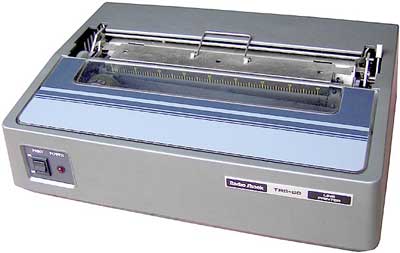
Line printers are the printers which print one line at a time.

Line Printer

These are of two types −

  • Drum Printer
  • Chain Printer

Drum Printer

This printer is like a drum in shape hence it is called drum printer. The surface of the drum is divided into a number of tracks. Total tracks are equal to the size of the paper, i.e. for a paper width of 132 characters, drum will have 132 tracks. A character set is embossed on the track. Different character sets available in the market are 48 character set, 64 and 96 characters set. One rotation of drum prints one line. Drum printers are fast in speed and can print 300 to 2000 lines per minute.

An impact printer in which a complete set of characters for each print position on a line is on a continuously rotating drum behind an inked ribbon, with paper in front of the ribbon; identical characters are printed simultaneously at all required positions on a line, on the fly, by signal-controlled hammers.

 A wide-format inkjet printer. The paper is taped onto a drum for precise alignment to the nozzles.

 An old line printer technology that used formed character images around a cylindrical drum as its printing mechanism. When the desired character for the selected position rotated around to the hammer line, the hammer hit the paper from behind and pushed it into the ribbon and onto the character.

Advantages

  • Very high speed

Disadvantages

  • Very expensive
  • Characters fonts cannot be changed

Chain Printer

In this printer, a chain of character sets is used, hence it is called Chain Printer. A standard character set may have 48, 64, or 96 characters.

Advantages

  • Character fonts can easily be changed.
  • Different languages can be used with the same printer.

Disadvantages

  • Noisy
~~~~~~~~~~~~~~~~~~~~~~~~~~~~~~~~~~~~~~~~~~

Non-impact Printers

Non-impact printers print the characters without using the ribbon. These printers print a complete page at a time, thus they are also called as Page Printers.

These printers are of two types −

  • Laser Printers
  • Inkjet Printers

Characteristics of Non-impact Printers

  • Faster than impact printers
  • They are not noisy
  • High quality
  • Supports many fonts and different character size

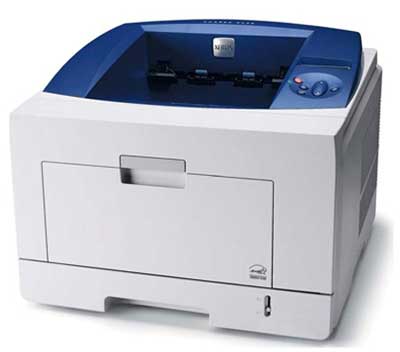
Laser Printers

These are non-impact page printers. They use laser lights to produce the dots needed to form the characters to be printed on a page.

A laser printer is a printer for computers. It uses laser or LED-technology to get small particles of toner from a cartridge onto paper. Very often, this costs less to use than the ink of inkjet printers. Laser printers often print text more neatly than inkjet printers, but print photos less clearly. Printing on photo paper or coated paper designed for inkjet printers can damage the laser printer's drum and fuser unit.

The laser printer was first invented by a team at Xerox in 1969. The first laser printer was called the Xerox 2000.

Laser printing is a process which typically involves seven steps:

Raster Image Processing: 

the processor inside the printer converts the data to be printed from its current file format, into a bitmap of the page to be printed - this is then stored in raster image memory.

Charging

An electrostatic charge is then projected onto a revolving photosensitive drum inside the printer.


 Writing

A laser beam is directed at a rotating polygonal mirror, which redirects the beam onto the photosensitive drum. The rasterized data in memory is now read, and used to control whether the laser is on or off, as the beam sweeps across the drum - where the laser beam strikes the drum the charge is reversed, creating a latent electrical image on the surface. Some laser printers use an array of tiny LEDs instead of a sweeping laser beam.

Developing

The surface of the drum is then exposed to negatively charged particles of toner, which are attracted to the areas where the laser wrote the latent electrical image. The toner will be repelled by the negative charge on areas of the drum where the laser beam did not strike, and hence remove the charge.

Transferring

The drum is now rolled over paper, transferring the image from the drum to the paper (to aid in this process there is a positively charged roller behind the paper, which pulls the toner off the drum and onto the paper).

Fusing: 

The paper is then passed through a fuser, where rollers provide heat and pressure to bond the toner to the paper.

Cleaning

An electrically uncharged blade and a discharge lamp remove any toner and all the charge remaining on the drum (this will all happen in one revolution of the drum).


Laser Printer

Advantages

  • Very high speed
  • Very high quality output
  • Good graphics quality
  • Supports many fonts and different character size

Disadvantages

  • Expensive
  • Cannot be used to produce multiple copies of a document in a single printing

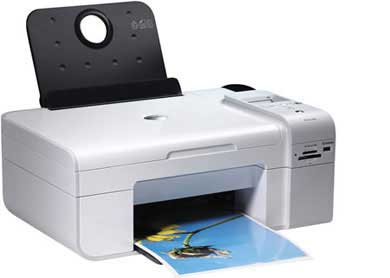
Inkjet Printers

Inkjet printers are non-impact character printers based on a relatively new technology. They print characters by spraying small drops of ink onto paper. Inkjet printers produce high quality output with presentable features.

An inkjet printer is a computer peripheral that produces hard copy by spraying ink onto paper. A typical inkjet printer can produce copy with a resolution of at least 300 dots per inch ( dpi ). Some inkjet printers can make full color hard copies at 600 dpi or more. Many models include other devices such as a scanner , photocopier , and dedicated fax machine along with the printer in a single box.


In the inkjet printing mechanism, the print head has several tiny nozzles, also called jets. As the paper moves past the print head, the nozzles spray ink onto it, forming the characters and images. An inkjet printer can produce from 100 to several hundred pages, depending on the nature of the hard copy, before the ink cartridges must be replaced. There is usually one black ink cartridge and one so-called color cartridge containing ink in primary pigments (cyan, magenta, and yellow). Some inkjet printers use a single cartridge with cyan, magenta, yellow, and black ink. A few models require separate cartridges for each primary pigment, along with a black ink cartridge.


The principal advantage of inkjet printers is the fact that most of them are inexpensive. Inkjet printers are often given away at computer superstores along with the purchase of a personal computer or substantial peripheral. Even the cheapest inkjet printers are satisfactory for most of the needs of personal computer users. High-end inkjet printers can render digital images on special paper, with quality rivaling that of professionally produced glossy or matte photographs. Another advantage of inkjet printers is their light weight and modest desktop footprint . Many models are easy to transport, and are preferred by traveling salespeople for this reason alone.


The copy from an inkjet printer needs a little time to dry. Adequate drying time is especially important if the hard copy contains large regions of solid black or color. Inkjet printers also require non-porous paper. In bond paper containing cotton or other fibers, the ink may bleed along the fibers. Paper designed especially for inkjet printers is heavier than the paper used with laser printer s or photocopiers (24 pound vs 20 pound), has higher brilliance (it's "whiter"), and is somewhat more expensive. Another limitation is the fact that most inkjet printers are slow and they are not designed for high-volume print jobs. While the initial cash outlay for an inkjet printer may be modest (or zero), this type of printer is expensive to operate over time compared with a laser printer. When it is necessary to make hundreds of copies per day or thousands of copies per week, an office quality laser printer is a better choice.


Inkjet Printer

They make less noise because no hammering is done and these have many styles of printing modes available. Color printing is also possible. Some models of Inkjet printers can produce multiple copies of printing also.

Advantages

  • High quality printing
  • More reliable

Disadvantages

  • Expensive as the cost per page is high
  • Slow as compared to laser printer


  Google meet વિશે 👇👇👇👇 Tutorial Video .